




 En
En  Português
 Svenska
 Türkçe
 Română
 Polski
 Français
 Español
 Deutsch
 Dansk
Dansk Suomi
Suomi Norsk Nynorsk
 Lietuviškai
 Magyar
 Ελληνικά
 日本語
日本語 Русский
 中文 (中国)
 Tiếng Việt
 Italiano
 Čeština
 Nederlands
 العربية


 Bitcoin
 Ethereum


If you want to know how to surf and join a good surf server, or if you want to play offline using workshop surf maps, this guide is for you. It includes basic CS2 surfing strategies such as commands, suggested settings, servers, and surfing skills to help you improve your CS2 surfing techniques while still enjoying yourself.
What Is Surfing In Counter-Strike 2?
Surfing in CS2 is a gaming style in which players slide across areas with steep and curving walls (ramps). The goal is to make it to the finish of the map as quickly as possible while avoiding obstacles and maintaining control.
A common question that comes up quite often is “Is there surf in CS2?” It does exist, but not as a standard game mode. Players access it through community servers and Workshop maps, where the surf experience is actually built and maintained by the community.

Knowing the proper surf techniques in CS2 might assist you in taking a break from constantly grinding ranked matches. When compared to other typical CS2 matches, CS2 surfing is both entertaining and straightforward, making it an excellent way for new players to become comfortable with the basic mechanics.
And this is why it’s critical to learn the basic knowledge about its movement mechanics. Continue reading to learn more about CS2 surfing and the core surf mechanics that can help you learn and have fun.
CS2 Surf Basics and Movement Mechanics
Surfing in Counter-Strike 2 is heavily based on control and momentum management. Instead of focusing on aim or combat, players use ramps and smooth directional movement to maintain speed through different sections of a surf map.
Understanding the basics early makes surfing much easier to learn and helps beginners avoid frustrating mistakes.
The key here is to gain momentum: once on a ramp, maintain speed by staying at the center of the ramp. If you go too high, you lose speed, and if you go too low, you risk falling off.
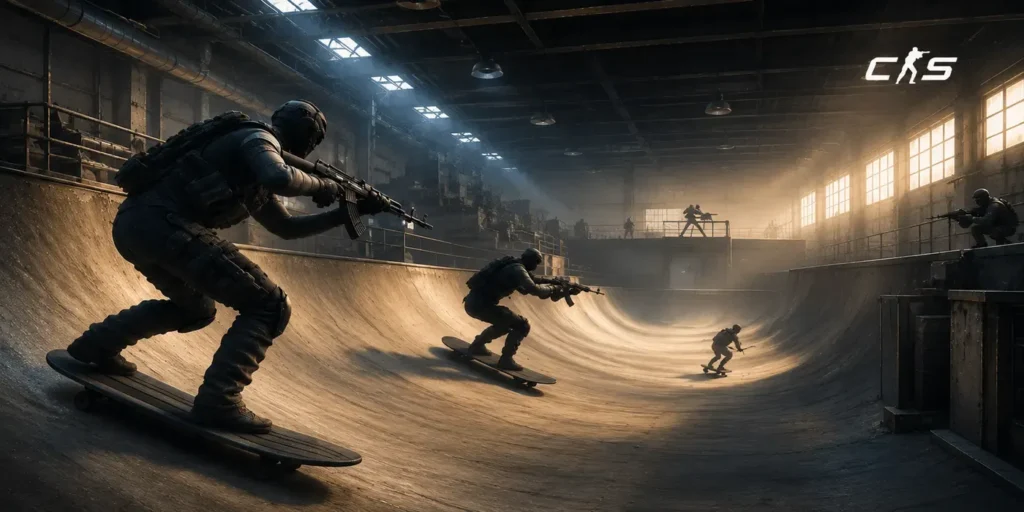
How Surfing Movement Works in CS2
Successful CS2 surfing involves 3 key rules. First, let go of the forward key (usually “W”). In this mode, this key is entirely unnecessary because it may drastically slow you down or cause you to fall.
Second, use the “A” or “D” strafing keys to slide sideways. Press “A” if the ramp is to the right or “D” if the ramp is to the left. Finally, hold the mouse in the same direction as the ramp for smooth movements.
The most important thing in surfing is momentum. While riding the ramp, players should stay near the middle and avoid going too high or too low. Small adjustments matter more than most beginners expect. Drift too far in either direction, and speed drops fast, usually ending with a fall off the ramp.
How to Stay on the Ramp
To maintain speed and have a smooth, predictable motion on the ramp, beginners must learn how to surf in CS2 by determining the proper ramp location.
The key is to follow the slope of the ramp closely and avoid sudden, sharp turns. Smaller, controlled mouse movements work better than large adjustments. Height also matters. Staying too high or dropping too low on the ramp often leads to a loss of speed or an early fall.
With practice, the ability to control ramps improves, perhaps leading to improved performance in higher-tier CS2 battles.
Common Surfing Mistakes in CS2
One of the most common beginner mistakes is using the wrong keys during a run. Many players instinctively press W and S, but this disrupts momentum and makes learning much harder.

Other frequent issues include overcorrecting mouse control, turning too quickly, or positioning incorrectly on the ramp. These mistakes usually break speed and make transitions between ramps feel unstable.
In most cases, slower and more deliberate inputs work better than fast, aggressive reactions. Surfing rewards control more than reflex speed.
Best CS2 Surf Servers and Surf Maps
Surfing in Counter-Strike 2 mainly happens through community servers and custom surf maps. Knowing where to find beginner-friendly servers and which maps to start with can make learning much easier and far less frustrating.
How to Access Surf Servers in CS2
CS2 Surfing is not available in basic mode, so you must use community-created maps to play. There are two methods to approach this:
One option is using offline Workshop maps.
- Launch CS2: Open the CS2 game from your Steam library and sign into your account.
- Head over to the Workshop page on Steam and pick items for Counter-Strike 2.
- Open Server Browser: On the main menu, press the “Play” button and then select the “Community Server Browser” on CS2.
- Search for Surf Servers: Type keywords like “surf” and “surfing” in the search bar to find the list of available servers.
- Join the Preferred Server: Explore all the maps available and press “connect” to join the ones that appeal to you.
- Play: When you’ve subscribed to a map or two, launch the game by pressing the Play button and enjoy solo surfing.
Understanding surf movement and map layouts can make the learning process smoother and, honestly, a bit less overwhelming once you’re in-game. It helps players settle in faster while playing.
For practice without pressure, offline play is an option. Surf maps CS2 can be downloaded directly from the Steam Workshop.
Join multiplayer surfing servers:
This second method is different only by its online nature and the presence of other players on the map.
To get the maps follow these simple steps:
- Press the Play button to launch Counter-Strike 2.
- Click the globe icon in the top menu. It will show the Community Server Browser window.
- Select the internet tab and press the refresh button to see the list of available servers.
- Use the search bar to find different CS2 surf servers.
Best Beginner CS2 Surf Servers
For beginners, speed control and movement are the main focus. Wide ramps, clean lines, and forgiving layouts make a big difference here. These kinds of maps are easier to read, and they reduce the chances of constantly falling off while still learning the basics.
These environments reduce unnecessary mistakes and allow players to build consistency. Starting here helps develop confidence before moving into faster or more technical surf servers.
Best CS2 Surf Maps to Try
Some CS surf maps are simply more beginner-friendly than others. They tend to have simpler layouts, gentler slopes, and fewer tight transitions. On beginner servers, players usually start with basic Tier 1 maps, where the focus is on learning control and consistency rather than speed or precision.

- Surf_Beginner is a great map for learning how to surf in CS2, as it gradually grows in difficulty as you go through each stage. While it’s not the most aesthetically pleasing map, it’s understood by the surfing community and is worth a try for those new to the map mode.
- Another good beginner option is surf_utopia due to its easy design and easy-to-predict routes. This is a map that is not so beginner-friendly and can be helpful after the basics have been covered.
- Surf_kitsune is a good choice for those players transitioning to lower intermediate. It adds more challenging sections to move at a faster pace but is still interesting for newer surfers.
- The steady pacing and its clean layout have made surf_mesa a popular choice. The map will challenge the players to be a lot more consistent and better at control without too many hard shortcuts.
If you’re looking for a bit more of a challenge as you get better, surf_mesa_revo and surf_rookie are good maps to try. The majority of community surf servers rotate some of these maps periodically so that new players can try out different styles while learning how to move and time.
Most community CS2 surf servers rotate maps like these from time to time. It gives newer players exposure to different styles and pacing, which helps develop timing, control, and overall movement awareness gradually.
Best CS2 Surf Commands
Surfing in CS2 isn’t the same without using special console commands to change the game’s physics. Surf commands cs2 can help manage movement, air acceleration, and basic server settings, making practice sessions run more smoothly. Once you’ve joined a server, you just need a few of these to have a pleasant practice.
As a newbie, here are a few key CS2 surf commands to know:
| Command | What It Does |
| sv_cheats | Enables cheat commands (required for setup) |
| sv_maxspeed 620 | Sets the top ground speed |
| sv_accelerate 10 | Controls ground acceleration |
| sv_airaccelerate 800 | Improves air movement for ramps |
| sv_maxvelocity 7200 | Sets max velocity – allows fast surfing |
| sv_staminajumpcost 0 | This command sets the stamina penalty you receive after jumping |
| sv_enablebunnyhopping 1 | Removes the artificial velocity limit imposed on jumping |
| sv_autobunnyhopping 1 | Automates bunny hopping |
| sv_falldamage_scale 0 | Avoids deaths while learning |
| mp_restartgame 1 | Quickly restarts the server after changing settings |
| mp_roundtime_defuse 60 | Extends round time so surf sessions are not interrupted frequently |
The most important settings are usually air acceleration and stamina removal, since they make movement feel much closer to standard surf server setups.
Once you are familiar with these commands and basic surf maps, the next phase is to develop consistency, faster surfing, and route optimization using more advanced surfing techniques.
Advanced Surfing Tips for CS2
A few tips from this part of our CS2 surfing guide will help you hone your skills and turn you into a better surfer.

How to Improve Surfing Skills Faster
It’s important to practice regularly! It’ll help you become a better CS2 player. But avoid starting with maps that are too difficult too early. Use maps and servers that are easy for beginners. Gain muscle memory for simple surfing. Then slightly increase difficulty just a little to make it have a little challenge and have fun.
Once you have the skills and confidence, begin playing difficult ones. It may be challenging initially, yet give it time! With practice, everything will become much easier.
How to Maintain Speed While Surfing
Maintaining speed is mostly achieved through smooth movement and proper ramp positioning. Sudden mouse flicks, overcorrecting turns, or poor ramp alignment can all quickly deplete momentum.
Balance and consistency matter most when moving from one ramp to another. Smooth, controlled turns tend to work better because they don’t drain speed as quickly. It’s less about sharp reactions and more about staying steady through the transition. Players who stay relaxed usually find it easier to keep their momentum going for longer stretches.
Air Strafing Tips for Surfing
Air strafing helps players make complicated jumps on difficult CS2 surf maps. While in the air, press the strafe keys and follow this movement with your mouse. This tip is not for gaining speed but to avoid losing it while moving from one ramp to another. It’s important for long jumps with some changes in the general direction.
FAQ
Can you still surf in CS2?
Yes, surfing is fully available in CS2 through community servers and custom surf maps created by players! It’s a custom game mode where players glide along sloped surfaces, building speed and performing precise maneuvers.
How to play surf in CS2?
Surfing in CS2 is the same as how to surf in CSGO. The core idea hasn’t really changed. Movement still matters more than anything else, and the goal is still to glide along ramps while keeping momentum instead of fighting it.
Is Surfing in CS2 Hard for Beginners?
Surfing can feel difficult at first because the movement style is very different from normal CS2 gameplay. However, updated beginner maps and practice on well-optimized servers allow players to gradually master speed control, trajectory, and ramp angles.
Are CS2 Surf Maps Different From CSGO Surf Maps?
Many classic Counter-Strike: Global Offensive surf maps have been recreated or updated for CS2, but some maps feel slightly different due to changes in Source 2 physics.
Do You Need Commands to Surf in CS2?
Not always. Most public surf servers CS2 already use the correct settings automatically, though commands can still help when practicing offline or setting up a private surf server.

Leave a comment